
Reading Schedule
A calendar of class due dates across your syllabi, so you can see what is due this week and next.
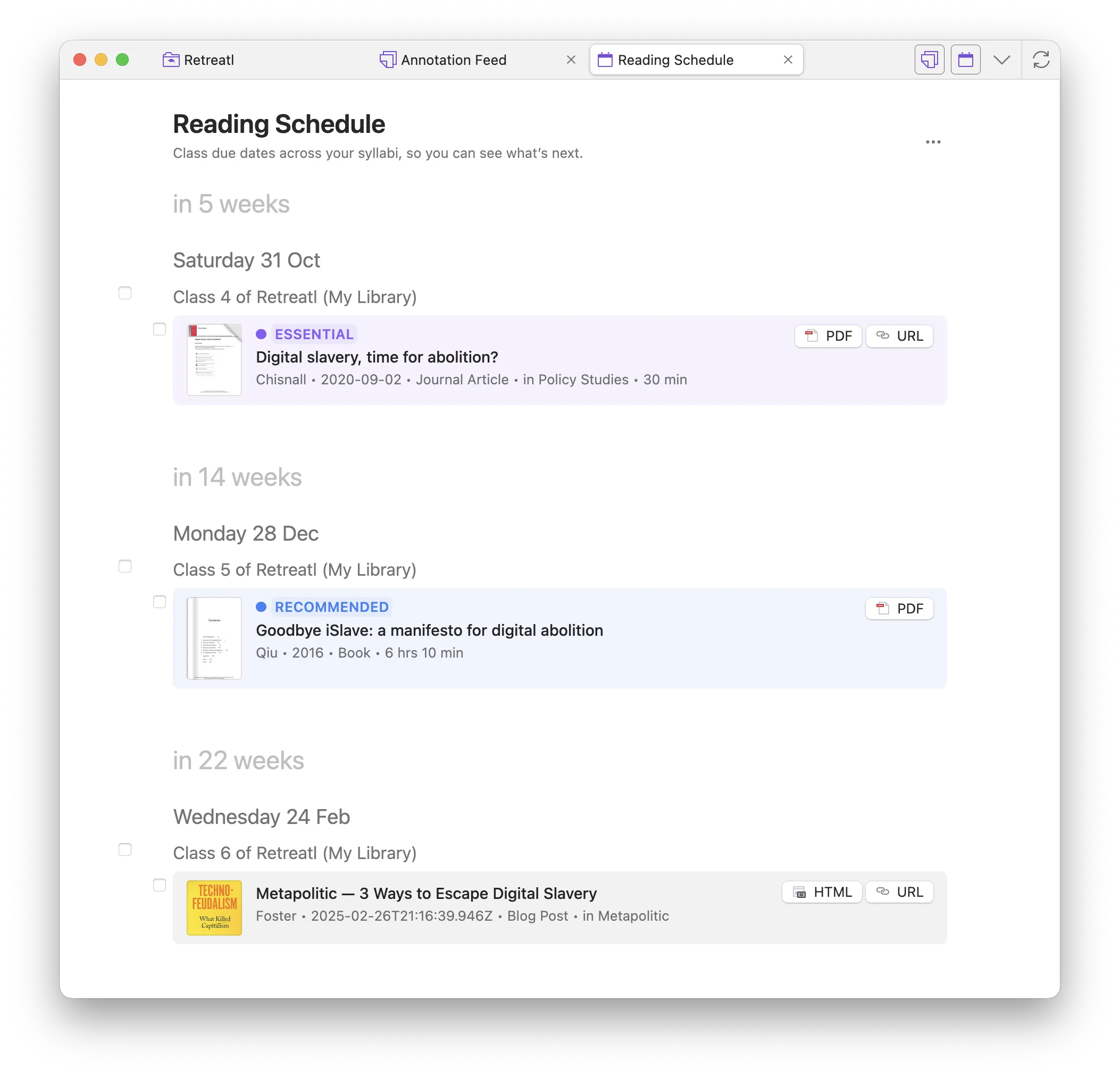
Open Reading Schedule
Section titled “Open Reading Schedule”- Enable it in Preferences → Zotero Syllabus → Views.
- Open the Reading Schedule tab (toolbar button, or Go to Reading Schedule from the Home deadlines shelf).
Set dates on classes
Section titled “Set dates on classes”-
In Syllabus view, set a reading date on a class.
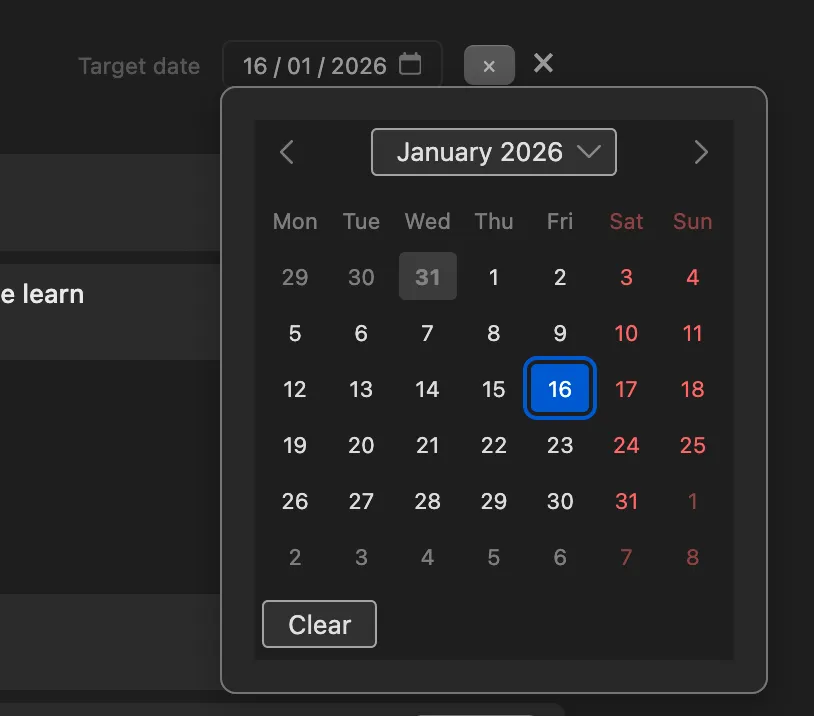
-
Those classes appear on the schedule, grouped by week and date. Sticky week / date / class headers stay visible as you scroll.
-
The same Card / Cover / Magazine / Annotations layouts as Gallery are available from the header menu.
-
A Pinned section sits above the calendar.
Optional Reading Schedule collection
Section titled “Optional Reading Schedule collection”Preferences → Zotero Syllabus → Generate a “Reading Schedule” collection creates an auto-managed folder tree for upcoming dates (and a Pinned child folder). Do not add or remove items there by hand; turn the pref off to delete that collection. Syllabus items stay in place.
See Auto-managed folders.