
Educator: build a course
Use Zotero Syllabus to maintain a living reading list in Zotero, then export or publish a clean copy for students.
1. Create a syllabus collection
Section titled “1. Create a syllabus collection”- Create a Zotero collection for the module (or reuse an existing one).
- Add the readings (and any handouts) as items.
- Select the collection and click Turn into Syllabus.
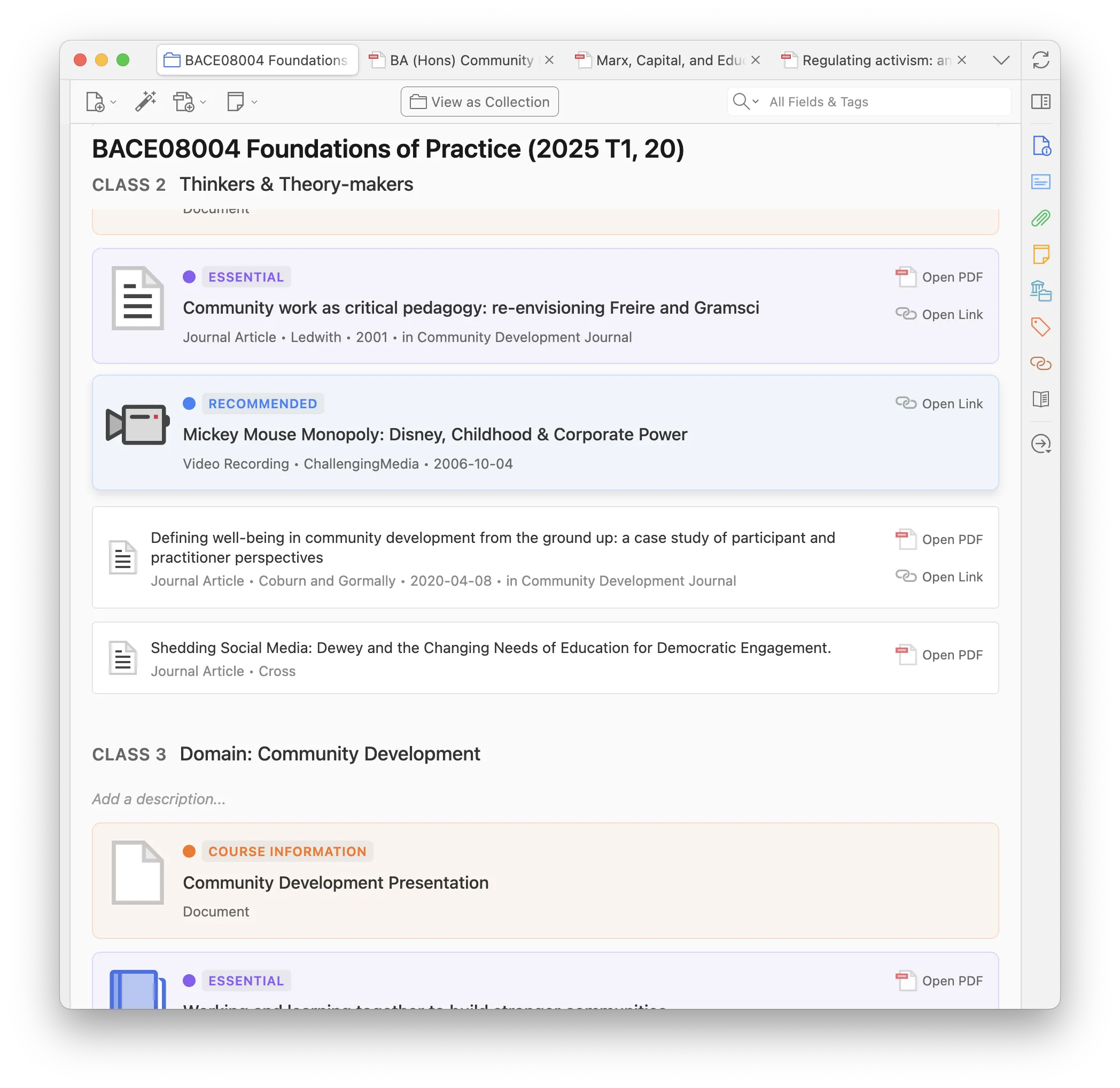
2. Add classes and assign readings
Section titled “2. Add classes and assign readings”- Add Class for each week or session (rename the word in Syllabus Settings — week / class / session).
- Drag items onto a class, or right-click → Assign to a class.
- Put handouts under Course Information (or your top priority) so they stay at the top.
Unassigned items remain under Further reading.
Full detail: Syllabus how-to.
3. Priorities and reading instructions
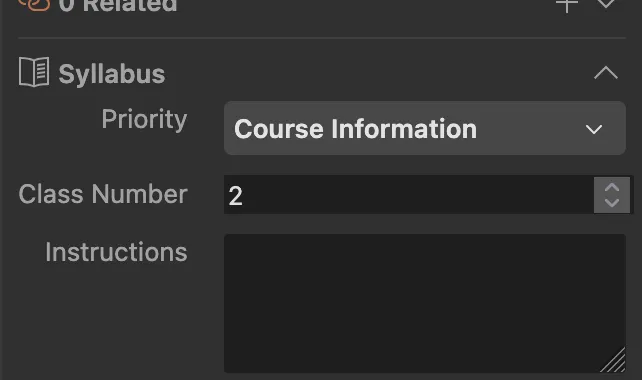
Section titled “3. Priorities and reading instructions”In the item pane Reading assignments section (or via right-click):
- Set priority (Essential, Recommended, Optional, Course Information — editable in Settings).
- Add a short instruction (“read chapters 1–3”, “skim for method”).
- Optionally mark items done for your own tracking.
4. Optional: class subcollections
Section titled “4. Optional: class subcollections”In Syllabus Settings, Class subcollections creates a child folder per class and keeps membership in sync. Leave this off unless you want folder mirrors — do not edit those folders by hand. See Auto-managed folders.
5. Print, save, or publish
Section titled “5. Print, save, or publish”Use the printer icon on the syllabus header:
- Save as PDF, Word, Markdown, or HTML — include a bibliography if that option is on.
- Publish online — a public URL (HTML + attachments). Only publish materials you have the right to share.
See Print, export, and publish.
6. Share the workflow with students
Section titled “6. Share the workflow with students”Point students at Getting started and the student tutorial. If your institution uses Talis, Leganto, or similar, they can import the list themselves into their own library.
- Use Lock before projecting or demoing so the list is not edited by accident.
- Standalone notes can be class notes — private to the syllabus, not exported on publish/print.
- Library-wide default priorities live in Preferences → Zotero Syllabus; per-syllabus overrides live in Syllabus Settings.